

Date:
Author:
Akash Jaggi
Introduction
Meet Dots, a New Way to Work With AI
OpenAI has introduced Dots, a new generation of always-on AI agents designed to do more than answer questions. Instead of waiting for individual prompts, a Dot can learn what matters to you, understand your preferences, and continuously work toward your goals. Powered by GPT-6 Astra, each Dot has access to its own cloud computer and can connect with thousands of apps through ChatGPT’s plugin ecosystem.
Think of a Dot as an AI teammate that stays available in the background. You can give it projects, discuss ideas, provide feedback, or simply let it continue working while you focus elsewhere. Dots can be reached through ChatGPT and supported workplace tools such as Slack and Microsoft Teams, while maintaining context across those interactions.
Why ?
Moving From AI Assistance to AI Collaboration
Most AI tools still depend on a simple interaction model: you ask for something, the AI responds, and the process stops until your next instruction. Dots are designed around a different idea, persistent collaboration. A Dot can understand an ongoing project, continue working on multiple tasks, react to new information, and bring completed work back to you for review.
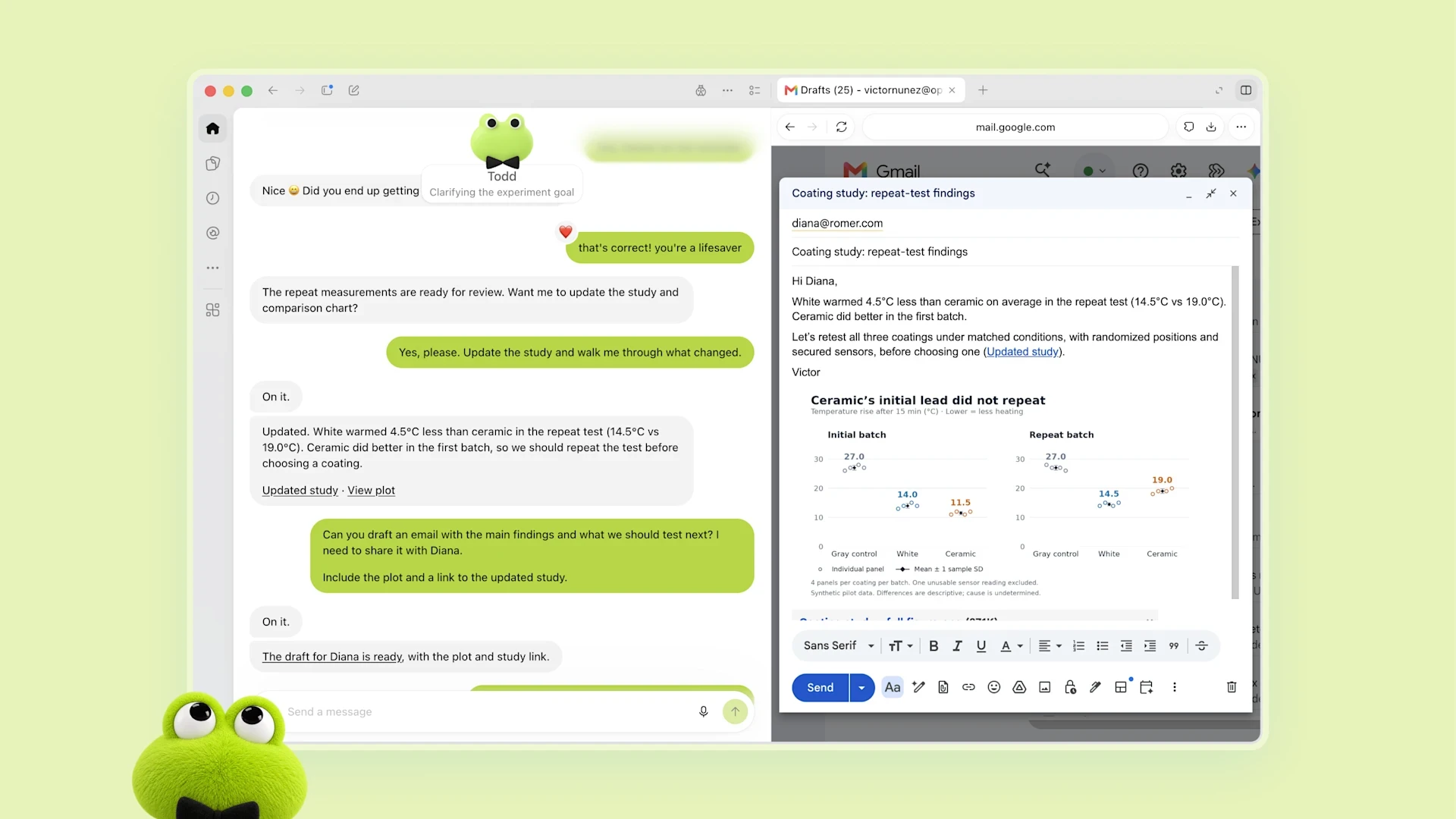
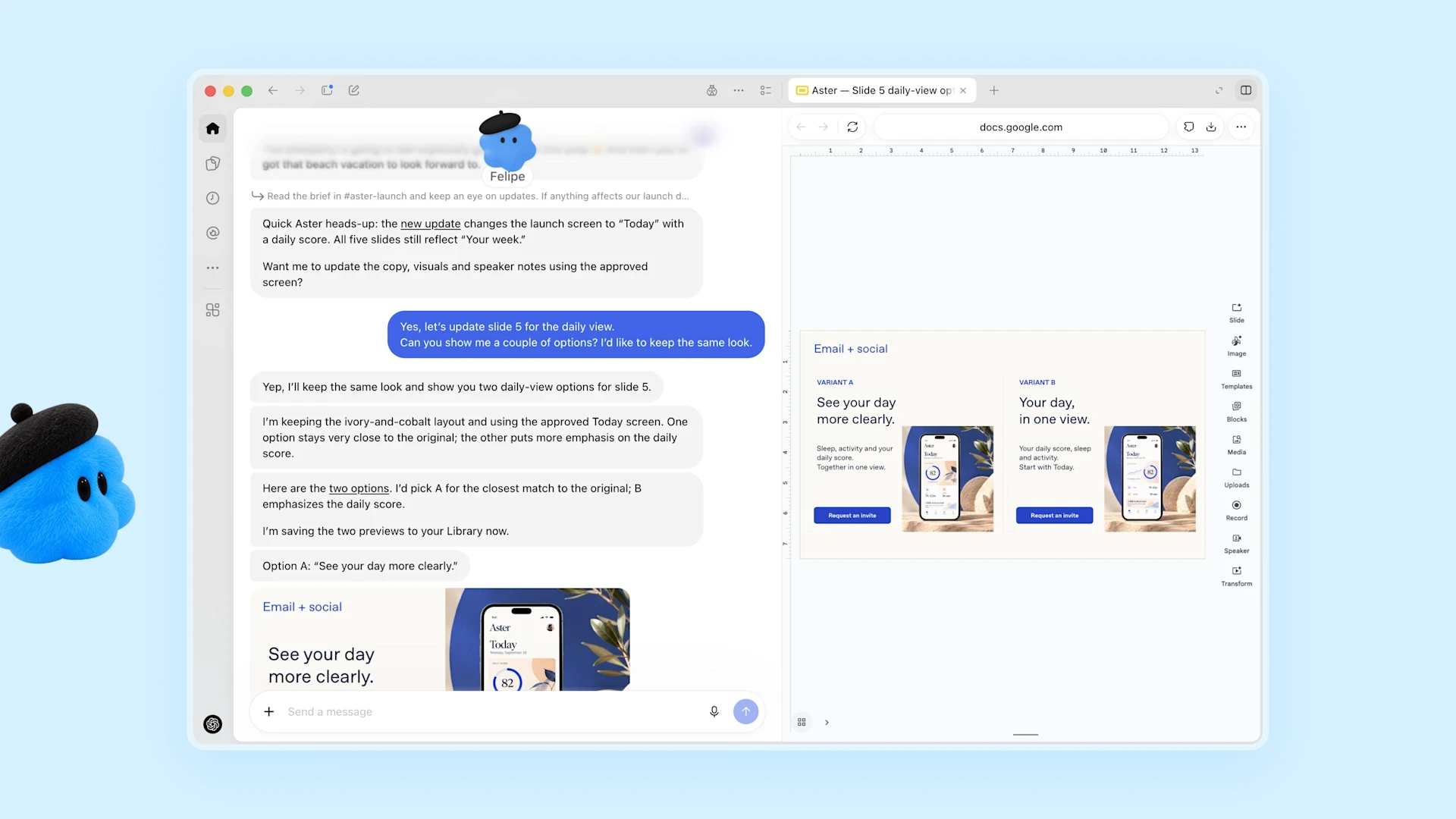
This could change how creators, designers, developers, researchers, and teams use AI. OpenAI describes examples ranging from investigating software bugs and preparing tested fixes to updating launch materials when product requirements change. For creators, a Dot could process a new interview transcript, identify potential clips, prepare show notes, and draft social content while learning from subsequent edits.
What’s Inside
Your Own Always-On AI Agent
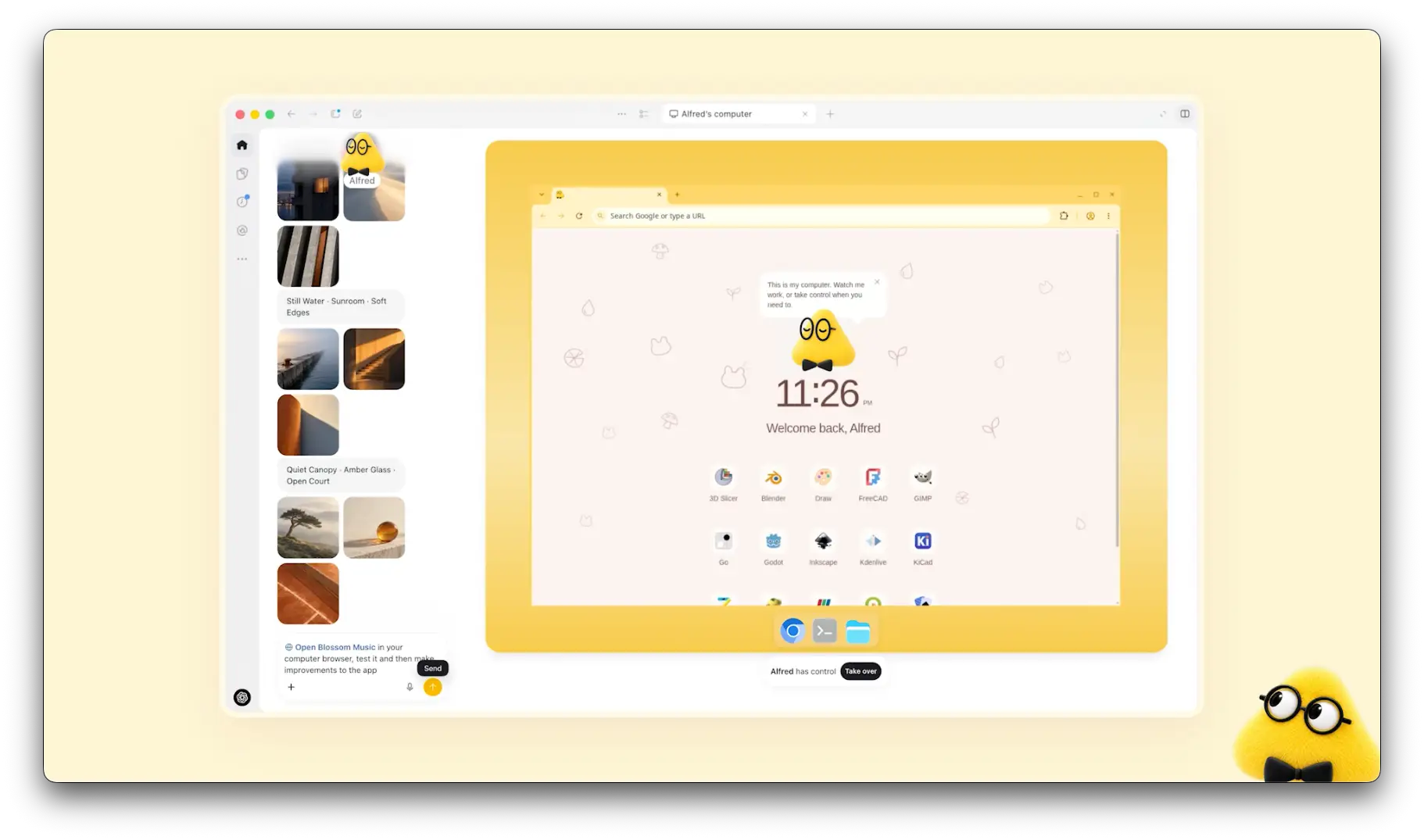
Every Dot comes with its own cloud computer and browser and can use apps that you choose to connect. OpenAI says Dots can connect to more than 4,000 apps through its plugin ecosystem. You can inspect what your Dot is doing, give it additional tasks while others are running, and establish rules around which actions it can perform independently and which require your approval.
Control and permissions are a major part of the system. Your Dot's cloud computer remains separate from your personal computer unless you explicitly connect it. Users choose which apps a Dot can access, while Custom Rules can allow, block, or require approval for particular actions. OpenAI is also previewing specialist Dots for organizations, agents with dedicated identities, credentials, and responsibilities that can integrate more deeply with company systems.
Download
How to Get Started With Dots
Dots are beginning to roll out in ChatGPT for Pro and Business Premium users in eligible markets, while Enterprise users, including Edu and Healthcare customers, can access the beta when enabled by their workspace administrator. OpenAI says the first Dot is included with eligible Pro and Business Premium plans at no additional cost, with broader availability planned over time.
To get started, users can create their first Dot from the ChatGPT desktop app or desktop browser, connect the apps they want it to work with, and complete the initial setup. After setup, the Dot can also be messaged through the ChatGPT mobile app. Rather than being another chatbot you repeatedly start from scratch with, Dots point toward a future where AI remains alongside you, learning how you work and helping move projects forward continuously.


